Ryujinx Canarydownload and setup guide
Download Ryujinx Canary for Windows, Linux, Steam Deck, and macOS. Compare Canary and Stable builds, install safely, and complete first-time setup without hunting through scattered release pages.
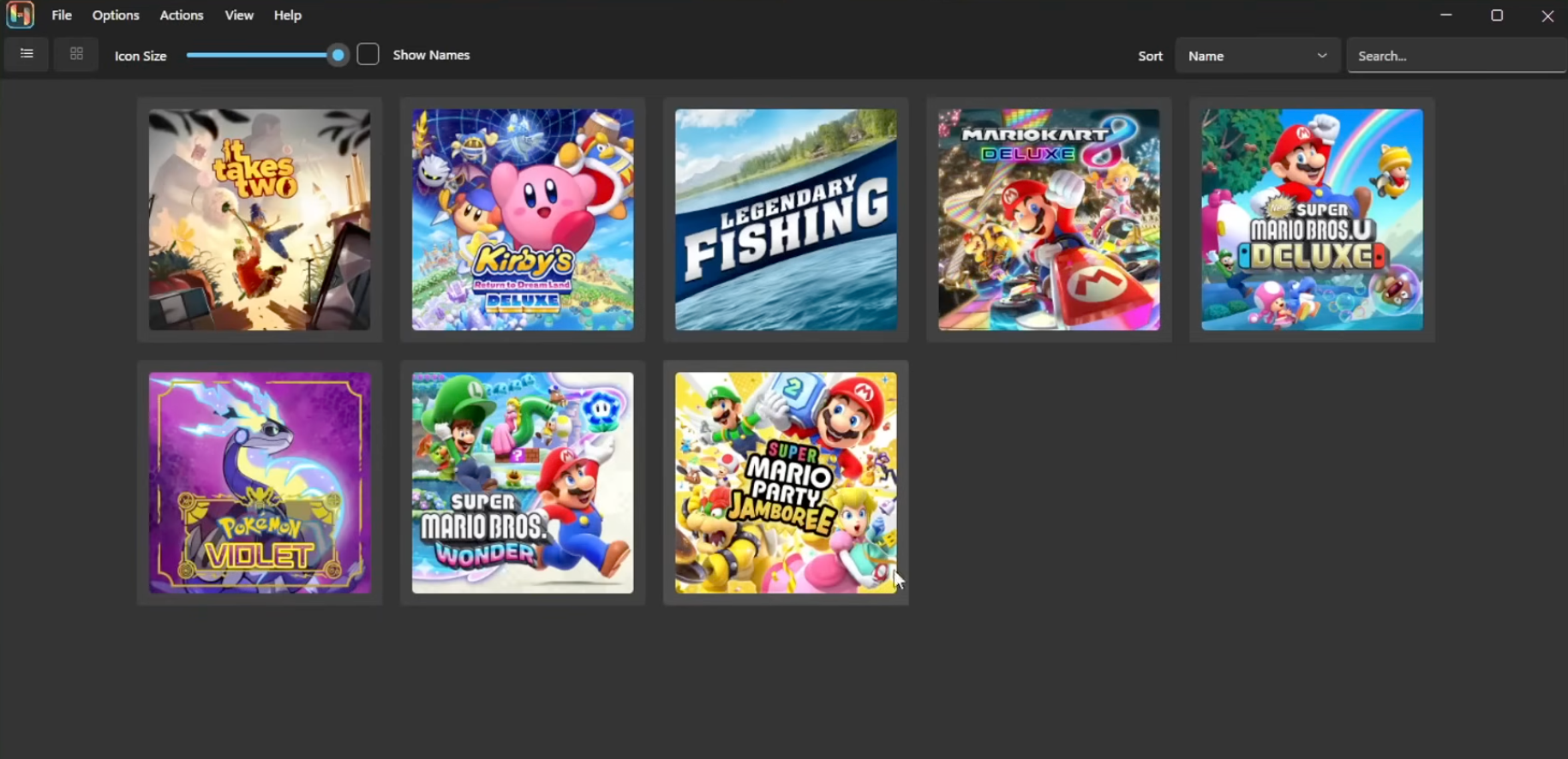
Start here
Choose your OS and CPU
Most PCs use x64. Steam Deck uses Linux x64, not arm64.
Download from release assets
Use the package links or open the official release list.
Install keys and firmware
Ryujinx needs your own dumped keys, firmware, and games.
Add game folders
Point the emulator to your legal dumps and test one game first.
Ryujinx Canary guide site. Not affiliated with Nintendo, the original Ryujinx developers, or Ryubing.
Download Ryujinx Canary
Start with the automatically recommended package for your current device, or choose a platform below.
Detecting your system...
This runs locally in your browser and does not send your system information anywhere.
Windows
Windows x64 for most PCs and handheld Windows devices.
Canary 1.3.301
- Use x64 for AMD/Intel Windows PCs.
Linux
Linux x64 for most desktops and Steam Deck; arm64 for ARM Linux devices.
Canary 1.3.301
- Steam Deck uses the Linux x64 build, not arm64.
macOS
Universal macOS archive for Intel and Apple silicon Macs.
Canary 1.3.301
- Expand the archive to get Ryujinx.app.
What is Ryujinx Canary?
Ryujinx Canary is the fast-moving build channel for users who want the newest emulator updates, compatibility fixes, and platform improvements before they settle into a calmer Stable release.
Canary build
Canary 1.3.301 is updated more frequently and may include recent fixes or regressions. It is a good fit when you want to test the newest changes or need a compatibility improvement from a recent commit.
Download Canary →Stable build
Stable 1.3.3 updates more slowly and is better when you want fewer surprises. The install, keys, firmware, and game directory steps are the same after download.
Browse Stable releases →Safety first
This guide links to public project release pages and does not host emulator binaries. It also does not provide ROMs, NSP/XCI files, keys, firmware, or piracy support. Use only games and system files you are legally entitled to dump and use.
Ryujinx Canary features
A focused guide for safe downloads, clean installation, and first-time setup across the platforms most Ryujinx Canary users care about.
How to set up Ryujinx Canary
Install the emulator first, then add your own keys, firmware, game folders, controller profile, and graphics settings.
Download and launch Ryujinx Canary
Pick the package for your operating system and CPU, extract it if needed, then run Ryujinx once so it can create its configuration folders.
Install product keys
Use Tools or Actions > Install keys when your build provides that menu, or open the Ryujinx folder and place prod.keys and title.keys in the system folder.
Install firmware
Open Tools or Actions > Install firmware, select your firmware archive, folder, or XCI when supported, then restart if Ryujinx asks for it.
Add game directories
Go to Options > Settings > Game directories, add folders that contain your legally dumped games, apply the changes, and refresh the game list.
Configure input and graphics
Map your controller, choose Vulkan or OpenGL based on your hardware, and test one game before changing advanced performance settings.
Why use this Ryujinx Canary guide?
The goal is simple: help users choose the right package, avoid fake downloads, and get from first launch to a clean configured emulator.
Newest fixes first
Canary is best when you want early access to changes that may improve compatibility, performance, or platform behavior.
Clear source links
Every download CTA points to public Ryubing release assets or official release lists rather than anonymous mirrors.
Install guidance by OS
Windows, Linux, Steam Deck, and macOS each have a focused guide for common installation friction.
Legal boundaries
The site keeps emulator guidance separate from ROMs, keys, firmware, and other content you must source legally yourself.
Ryujinx Canary FAQ
Ryujinx Canary is an experimental build channel for the Ryujinx Nintendo Switch emulator ecosystem. It receives frequent updates and early fixes before they settle into more stable releases.
Choose Canary if you want the newest improvements and can tolerate occasional bugs. Choose Stable if you prefer calmer updates and fewer moving parts.
Yes. Ryujinx Canary and Ryubing builds are distributed as free emulator software through public project release channels.
No. This site never hosts or links to ROMs, NSP/XCI files, prod.keys, title.keys, or firmware. Use only content you are legally entitled to dump and use.
Ryujinx Canary builds are available for Windows, Linux, Steam Deck through Linux x64 builds, and macOS universal packages for Intel and Apple silicon Macs.
Open the release list, choose an older tag, download the matching package for your platform, and keep your previous archive until the new build is proven stable for your games.
Share this Ryujinx Canary guide
Help others find safe downloads, install notes, setup steps, and troubleshooting tips.